
One Android file, current build only
PlayinMatch APK — Official Latest Build, Why APKPure Old Versions Fail
Pick the newest PlayinMatch APK from the site link and delete any older copy on your phone first, since archive builds from APKPure are out of date and clash with it. The current file weighs roughly 30 MB, wants Android 8.0 or above, and signs in with the ID you already hold.
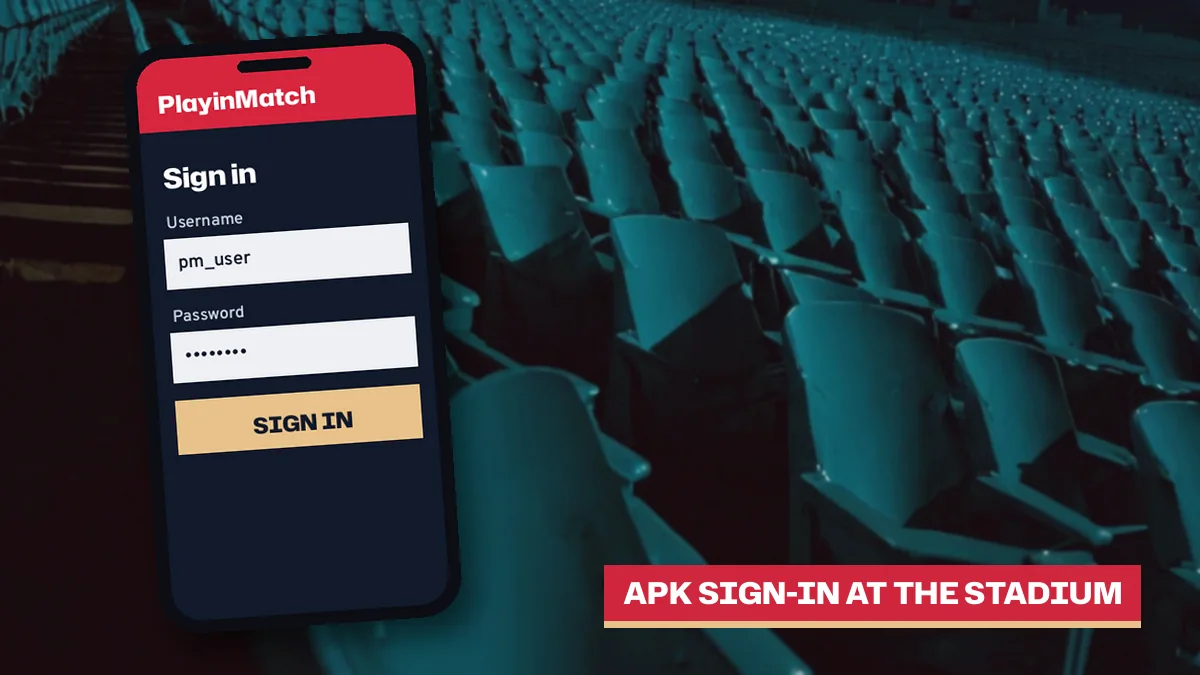
Sign In Fast Once the PlayinMatch APK Is on Your Phone
Download the Current PlayinMatch APK File The installed app opens on this same sign-in screen, the 24x7 WhatsApp desk resets a lost password for you, and the app is for adults 18+ only.PlayinMatch APK at a Glance: Official Size, Android Version and Source
Three things decide whether a phone accepts the PlayinMatch APK. Size, Android version, source. Get those three right and the install takes a couple of taps; get one wrong and Android throws an error that tells you very little about what actually went wrong.
| Detail | Official PlayinMatch APK | What to do on your phone |
|---|---|---|
| File size | About 30 MB | Keep room for the download and the installed app |
| Android floor | Android 8.0 or newer | Open Settings, then About phone, and read the Android version line |
| Source | The download link on the PlayinMatch site | Skip Play Store search results and third-party APK mirrors |
| Build | The current file only | Delete any old copy saved from APKPure or a forwarded chat |
| Account | Your existing PlayinMatch ID | No second account, the same username and password work |
Delete before you download. An older PlayinMatch build left on the phone is, in practice, the most common reason a fresh file refuses to install.
That last row of the table matters more than people expect, because the most common worry before someone installs the PlayinMatch app is whether it needs a fresh registration, a new deposit or a separate password, and it needs none of those: the APK is simply another door into the account the desk already opened for you. If you have used PlayinMatch in a mobile browser, the app shows the same balance. Same bet history too.
Install the PlayinMatch APK in Simple Steps on Android 8 and Up
Here is the whole install, start to finish, the way it plays out on most Android phones running 8.0 or later.
- On the PlayinMatch address the desk sent you, press Download the Current PlayinMatch APK File; if an older PlayinMatch icon already sits on the home screen, long-press it and uninstall while the new 30 MB file is still saving.
- Tap the finished download. A phone that has never installed anything outside the Play Store pauses here with a notice about unknown apps, so follow its Settings shortcut, flip the switch for Chrome (or whichever browser saved the file) and press back.
- The PlayinMatch installer comes back. Install, a short progress bar, Open.
- Now the sign-in card. Username or registered mobile in the first box, password in the second, and a temporary password from the desk gets replaced before you touch any market.
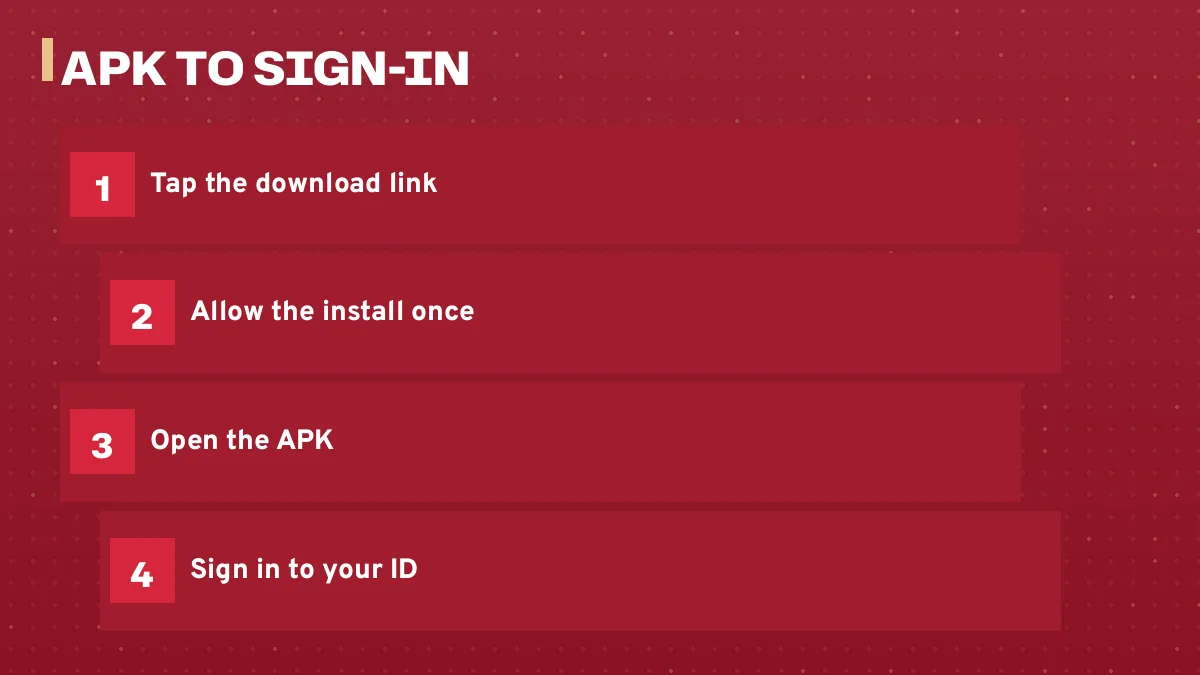
The permission belongs to one browser. Download the PlayinMatch file in Chrome and Chrome gets the toggle; save a later update through a different browser and Android will ask again for that one. You only allow it once per browser, which is why the second install feels so much quicker than the first.
Step three is where most people stall. Probably because the wording on that Android message sounds like a warning about the app itself, when in practice it is a general switch Android puts in front of every file that does not come from the Play Store, and PlayinMatch has no Play Store listing to offer in India. You can turn the toggle off again after the install if you prefer (some people do, out of habit). The PlayinMatch app keeps working either way.
Done. That is the full install.
Updating PlayinMatch when a newer file is out
Updates work the same way as the first install. Take the current file from the same PlayinMatch site link, open it, and Android offers to update the app already on your phone; tap Update, then Open, and sign in if it asks. If Android answers with App not installed instead, the copy on your phone probably came from somewhere other than the site, so uninstall it and install the fresh file clean.
Uninstalling loses nothing that matters. Your PlayinMatch balance and bet history sit with your ID, not inside the phone, so the only thing that disappears is the saved login on that device.
Why Old PlayinMatch APK Versions Fail and the Official Build Works
Type playinmatch apk into Google and APKPure shows up among the reslts, close to sites trading on the PlayinMatch name. An archive like that stores each file exactly as it was uploaded and then leaves it there, month after month. That is the problem.
On 10 November 2026 the results for that search included an apkpure.com page offering PlayinMatch old versions and an apkpure.net page advertising a PlayinMatch 5.0 download for Android. A version number in a page title says nothing about whether that file matches the build the site serves now. It only tells you what the uploader chose to call it.
You will notice this page prints no version number for the current file. That is on purpose. The PlayinMatch link always hands over whatever build is current on the day you tap it, so comparing a number on an archive page against the site is a pointless exercise; the site link is the latest version by definition, and anything else is a guess.
An old-version PlayinMatch APK from a third-party mirror is an outdated build. Install only the current file from the site link, and delete the old one first.
Why does an outdated copy cause trouble? The short version: the PlayinMatch build you get from the site is the one matched to the service as it runs today, while an archived upload was built for whatever the service looked like when that upload happened, and nobody at the desk can tell you which month that was, who uploaded it, or whether anything inside it was changed along the way. Hard to say what a given copy does. That uncertainty is the whole reason the rule exists.
People usually reach for the playinmatch app download apk old version search for one of two reasons. Either the newest file did not install and they assume an older one will, or a friend forwarded a copy over chat and it seemed easier. Neither works out well. If the current PlayinMatch file refuses to install, the cause is almost always on the phone side (Android below 8.0, an incomplete download, the unknown apps toggle still off, or an older PlayinMatch build already sitting on the device), and an archived file fixes none of those.
The same goes for anything labelled as a mod. A modified PlayinMatch APK is, by definition, a file someone other than the desk has altered. Skip it.
Phone on Android 7 or older? No APK will fix that, old or new. Open the PlayinMatch site in your phone browser instead; the same ID signs in there and the balance is identical.
PlayinMatch APK Will Not Open? Quick Fixes Before You Message the Desk
Five error situations account for most PlayinMatch APK trouble. Each one below sits next to the fix a player can do alone, on the phone, without opneing a chat or waiting on anybody.
- App not installed, right after you tap Install
- Most often an older PlayinMatch build is already on the phone, usually one from a mirror, and Android refuses to lay the new file over it. Uninstall the old app first, then open the current file again.
- The Install button does nothing or stays greyed
- The unknown apps switch is still off for the browser that saved the file. Turn it on for that browser, come back, try again.
- A parse error, or a message that the package could not be read
- The download stopped part way, or the phone runs Android below 8.0. Delete the file, download the full 30 MB again on a steady connection, and confirm your Android version in Settings.
- The app opens but nothing appears
- Usually the address behind it is blocked by your internet provider for now. Open another PlayinMatch mirror address; your ID, balance and history are the same on each.
- Sign-in is rejected
- A typo in the temporary password is the usual culprit. There is no email reset; the desk resets it for you in a few minutes.
One case from start to finish
A typical one goes like this. Someone buys a new phone, a cousin forwards a PlayinMatch file over chat, Android says App not installed, and the instinct is to search APKPure for an older version that might behave. Wrong direction. The fix took three moves: delete the forwarded file, download the current 30 MB build from the site link in Chrome, and switch on Install unknown apps for Chrome when Android asked. It installed on the next tap, and the old username signed straight in.
If your phone shows Android 8.0 or later and you deleted every old copy, grab a fresh file here: Install PlayinMatch on Android 8 or Newer
Still stuck after all of that? The desk is on WhatsApp around the clock at +91 81097 11726, and the first reply usually comes within about five minutes; the full contact detail and what to have ready sits on the PlayinMatch customer care number page. Tell them your username, your Android version and the exact words of the error. A screenshot helps more than a description.
Your First Secure PlayinMatch Sign-In Inside the APK
Both boxes on that first PlayinMatch screen, plus the reset route for a forgotten password, are explained on the PlayinMatch login page. This page sticks to the file itself.
One ID, every address, the app included. Same balance, same bet history.
A quick example. Say you opened your PlayinMatch ID weeks ago and have only ever used it on the .red address in Chrome. Tonight you install the APK, type that same username and password, and the screen shows the balance you left, the open bets you placed in the browser and the settled ones in My Bets. Nothing to transfer. Nothing to link. If the .red address is blocked tomorrow, the app and the other mirrors still take the same login, which is a large part of why people bother installing the PlayinMatch file at all.
New and want a look around first? The desk can switch on a practice balance in points, with no real money, so the exchange and the games can be explored inside the app before you deposit anything. Ask for it when the ID is issued.
Adults only, 18 and over, and one ID per person, whichever screen you happen to sign in from.
PlayinMatch Live APK: What Opens After a Fast Install
The word live in that search is about cricket prices moving while a match is on, and the PlayinMatch app keeps them one tap behind its icon.
That is what the app gives you. After sign-in the PlayinMatch dashboard sits behind the icon: the In-Play tab for matches running now, Today and Upcoming for the rest, a LIVE badge on markets in play, and the live score card inside each match market, with the Evolution and Ezugi casino tables and the games lobby a tap away on the same ID. The app adds no separate live product; it is the same PlayinMatch service, one icon instead of a bookmarked address that may get blocked.
Switching mid-match is fine. Place a back bet in the browser at the toss, open the PlayinMatch app twenty minutes later on the bus, and the bet shows on both screens, because both screens read from one ID. Deposits and withdrawals still run thrugh the desk exactly as before; the app changes where you tap, nothing about how money moves.
Quiet hours are covered too. Virtual cricket and virtual football run round the clock in short cycles inside the same PlayinMatch lobby, so opening the app at 3 a.m. on a day with no real fixtures still shows markets that are moving, which is roughly what most people typing that live search were hoping to find on their phone in the first place.
iPhone owners are a separate case with no APK at all; the PlayinMatch app download page covers their Home Screen route alongside the Android one.
Trusted PlayinMatch APK Source: Which Address Hands You the Real File
On 10 November 2026 a sweep of playinmatch.* domains showed many of them belong to operators with nothing to do with this desk, and a few hand out their own files under the PlayinMatch name. The address the desk gave you on WhatsApp is the one to download from. Unsure which that was? Scroll up the chat and find it before tapping a link anywhere else.
- Use the download link on the PlayinMatch address the desk shared with you.
- Ignore Play Store results, APK archives and files forwarded in group chats.
- After any update, sign in once and confirm your balance matches what you last saw.
Signs a file did not come from the PlayinMatch site
A few clues give away a stray copy. The size is far from roughly 30 MB. It arrived as a forward in a chat rather than from a download link you tapped yourself. Or, once opened, it asks you to register a brand-new account inside the app, which the real PlayinMatch app never does, because every ID is issued by the desk on WhatsApp and the app only signs in. Any one of those is reason enough to delete it and start again from the site.
Mirror addresses exist because Indian internet providers block betting domains from time to time; PlayinMatch runs several, .red among them, and the APK is one more way in when an address goes dark, so the file and the mirrors work together rather than against each other. Whether to play at all is a separate question. India's Promotion and Regulation of Online Gaming Act, 2025 bans offering and advertising online money games and several states ban betting too, so check your own state law first; the wider picture is on is PlayinMatch safe.
- playinmatch apk
- playinmatch apk download
- playinmatch download apk
- playinmatch app download apk
- playinmatch app download apk latest version
- playinmatch app download apk old version
- play in match apk
- playinmatch live apk
- playinmatch apk old version
- playinmatch app download for android
- playinmatch apk mod
- playinmatch aviator apk
PlayinMatch APK Install Questions, Quick Replies
Where do I get the PlayinMatch APK latest version?
From the download link on the PlayinMatch site address the desk gave you. That link always serves the current build, about 30 MB, for Android 8.0 or newer. Do not hunt for it on the Play Store or APK archive sites, because neither carries the file this site points to.
Is the PlayinMatch APK on the Google Play Store?
No, and a Play listing with that name should make you suspicious. PlayinMatch is a real-money betting service, Google Play in India does not host those, and so the only route is the APK on the site link. Remove anything you installed from Play under the name before adding the real file.
Can I install a PlayinMatch app download APK old version from APKPure?
It is better not to. Old versions on APKPure and similar mirrors are outdated builds uploaded by unknown people, and nobody can confirm what is inside them. Uninstall any old copy, then install the current file from the site; your same ID and balance carry straight over.
Will the PlayinMatch APK run on an Android 7 phone?
No. The current PlayinMatch file needs Android 8.0 or above, and no older APK from a mirror changes that. On an Android 7 handset use the PlayinMatch site in the phone browser instead; the 30 MB app and the browser share one ID, so your balance looks the same in both.
PlayinMatch app installed but shows nothing, what now?
A blank app straight after install nearly always means your internet provider has blocked the address behind it. Try another PlayinMatch mirror address with the same login. Skip VPN tricks and lookalike links people post in groups; the 24x7 WhatsApp desk can tell you which address works today.
Does the Play in Match APK ask me to register again?
It should not. The app has no sign-up form; it opens on a sign-in card that takes your username, or the mobile tied to it, plus the password. Registration happens only on WhatsApp with the desk, from a name and mobile number, usually inside 4 minutes.
How do I delete the PlayinMatch app and my account on Android?
Uninstalling the PlayinMatch APK removes only the app from your phone; the account stays open. To close the ID itself, withdraw any balance, then message the 24x7 WhatsApp desk and ask for closure. Until that happens, reinstalling the current file brings your same account straight back.
PlayinMatch APK Download Searches, Official Answers in One Place
Which playinmatch apk download searches end on this install page
Typing playinmatch apk, playinmatch download apk or playinmatch app download apk gets one answer on this page: the current PlayinMatch build, about 30 MB, for Android 8.0 and up, straight from the site link.
Latest version against old version of the playinmatch app download apk here
The two version searches lead to opposite advice on this page.
| Search | What PlayinMatch users should do |
|---|---|
| playinmatch app download apk latest version | Install it from the site link |
| playinmatch app download apk old version | Skip archives, delete old copies |
| playinmatch live apk | Same app, In-Play markets inside |
Spellings like play in match apk that reach the same PlayinMatch file
Different spellings, one download, one ID. Searches with a space in the brand or a dropped letter still reach this page and the same current PlayinMatch file.
- play in match apk
- playinmatch apk download
- playin match apk for Android