PlayinMatch App Download — Official Site Link, Not Google Play, Easy Install
Download PlayinMatch from the link on this site: Android 8.0 or newer gets a 30 MB file plus one settings switch, while iPhone owners pin the site from Safari with no file at all. Google Play is not an option for betting apps in India. The ID you already have opens either version.
Get the 30 MB PlayinMatch Android App
Whether you install the Android file or pin the Safari icon, this pair is all the app asks for; the 24x7 desk sends it, and only players aged 18+ get one.
PlayinMatch App Download on Android: The Official 30 MB Route
Most people who search for a PlayinMatch app download are holding an Android phone. Good news, then. The file is small, about 30 MB, and any handset on Android 8.0 or later can run it.
Search the Play Store for PlayinMatch and nothing official turns up. Fine. The installer sits on the site, behind the button on this page, and later builds arrive through that same link, so it is worth remembering where you found it.
Here is the short version of what happens on the phone. You tap the download link, Chrome (or whatever browser you use) saves the file, and Android pauses to ask whether that browser may install apps from outside the store. That question is the one switch people get stuck on. Allow it once, for that browser only, and the installer runs.
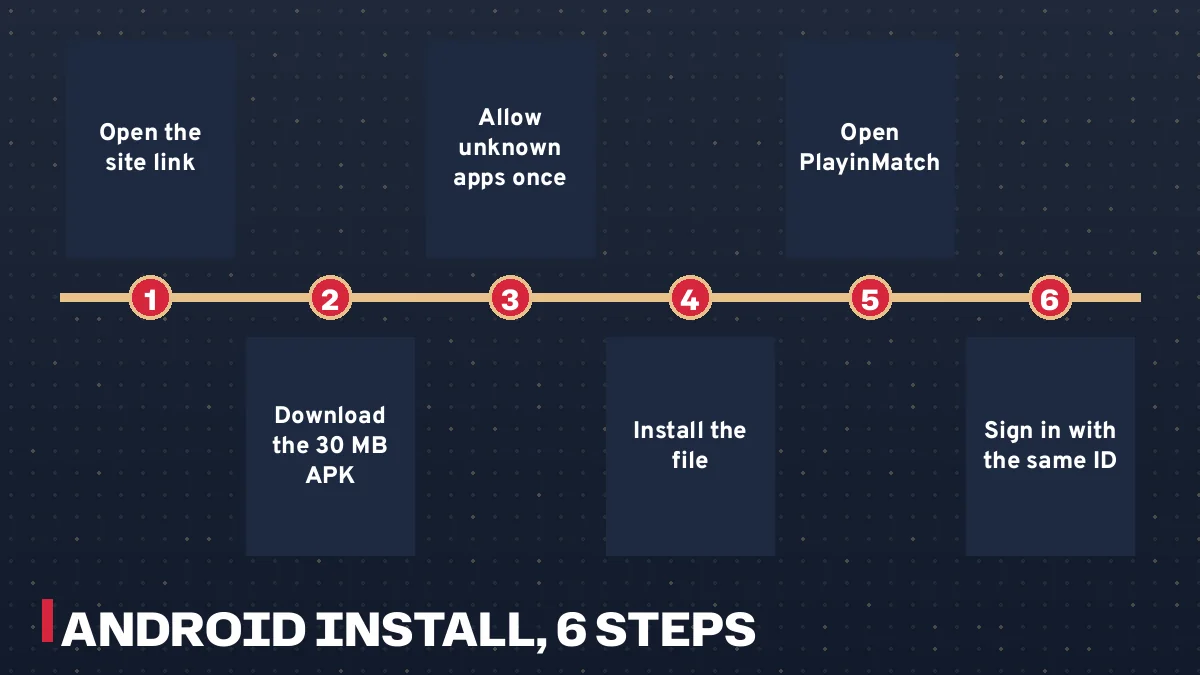
Tap the PlayinMatch download link on the site, from the address the desk gave you.
Let the roughly 30 MB file finish saving (on mobile data this is usually quick).
Open the file from the download bar or your Downloads folder.
When Android blocks it, open Settings from the prompt and turn on Install unknown apps for that browser.
Go back, tap Install, then Open.
Sign in with your existing PlayinMatch username and password.
Six PlayinMatch Android install steps from site link to first sign-in
Two things trip people up. The first is the Android version: a phone stuck on 7.x will refuse the file, and there is no workaround on this side. The second is grabbing the file from somewhere other than the site, which tends to hand you an older build. The deeper notes on the file itself, version by version, sit on the PlayinMatch APK page, so this page keeps the Android part brief and spneds more time on iPhone, sign-in and fixes.
Finding the Install unknown apps switch by hand
Sometimes the prompt never shows, or you tapped Cancel by reflex. Then you go looking for the switch yourself. On most phones it sits under Settings, then Apps, then Special app access, then Install unknown apps; pick the browser you downloaded the PlayinMatch file with and turn Allow from this source on. Samsung, Xiaomi, Vivo and others rename the menus a little (Security, Privacy, or Additional settings on some models), so if the path above does not match, search Settings for the word unknown and it usually surfaces.
Only that one broser needs the permission. Your file manager, WhatsApp and every other app stay as they were, and you can switch the permission back off after PlayinMatch is installed if you prefer a tidy phone.
Under thirty seconds, usually. That is roughly how long the install itself takes once the file is saved and the switch is on; the slow part for most players is finding the setting the first time.
Which PlayinMatch App Fits Your Phone: A Simple Device Table
Before you tap anything, match your phone to the right method. PlayinMatch offers two very different things under the word app, and picking the wrong one wastes ten minutes.
Your phone
What you install
Where it comes from
Settings change
Android 8.0 or newer
PlayinMatch app file, about 30 MB
Download link on the site
Install unknown apps, once per browser
Android 7 or older
Nothing; use the site in the browser
Site address from the desk
None
iPhone (any recent iOS)
Home Screen icon for the site
Safari, Share, Add to Home Screen
None
iPad
Home Screen icon, same as iPhone
Safari share menu
None
Laptop or desktop
No app; bookmark the address
Any browser
None
Notice what the iPhone row says. There is no App Store listing for PlayinMatch, so an Apple user never downloads a file at all; the icon simply opens the site the way an app would, from your Home Screen, with your saved sign-in.
Android at work, iPhone at home: one account or two?
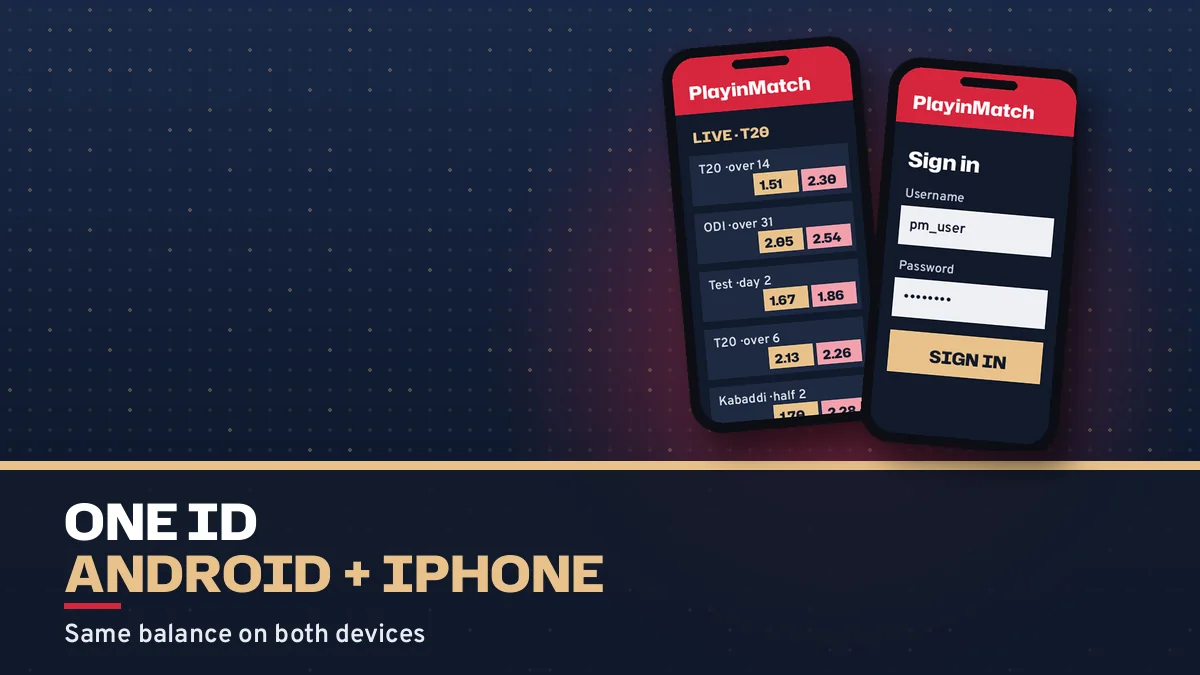
One. The 30 MB app on the work handset, the Safari tile on the home iPhone and a laptop tab can all read the same PlayinMatch wallet at once.
Can an old Android phone still play?
Yes, through the browser. The installer is what needs 8.0; the site itself does not care which Android you run.
What about the search term playinmatch com mobile download?
People type the old playinmatch.com mobile address out of habit. Whatever address you type, the download link to trust is the one on the PlayinMatch address your desk confirmed.
PlayinMatch App Download Terms on This Install Page, Made Simple
How this page reads the playinmatch app for android search
Anyone looking up the playinmatch app for android, or the longer playinmatch app download apk for android, wants the same thing: the current file from the official site link, sized near 30 MB, for Android 8.0 or newer.
A search for playinmatch download or play in match download lands on the same file. Different words, one installer, one ID.
The playinmatch install order used on this download page
The playinmatch install follows a fixed order whichever phone you hold:
Get your PlayinMatch ID from the WhatsApp desk first.
Download the file, or open Safari on iPhone.
Allow Install unknown apps once, or use Add to Home Screen.
Sign in with the same username and password.
What playinmatch live app means for players on this page
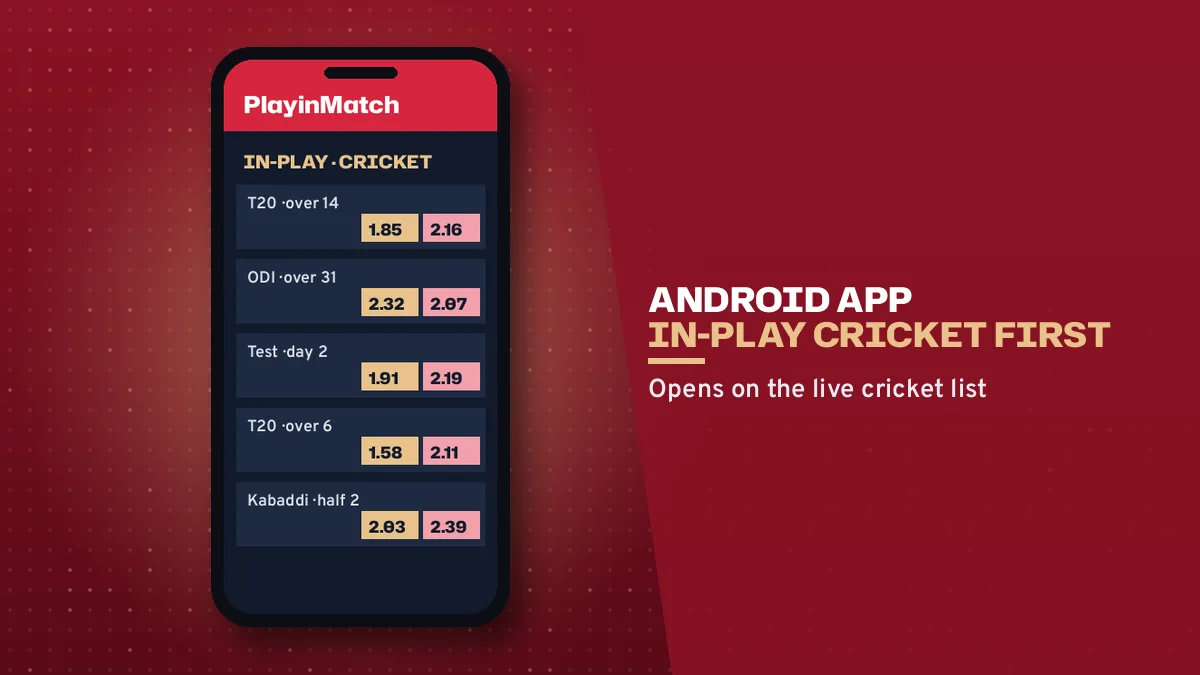
The phrase playinmatch live app usually comes from players who want In-Play cricket on the phone. The installed PlayinMatch app opens the same dashboard as the site, In-Play tab included.
Typing playinmatch com mobile download is mostly habit from an older mobile address. On this address the playinmatch app download gives you the Android file or the Safari tile, and both open the dashboard in a single tap.
PlayinMatch iPhone Install from Safari: Easy Phone-Frame Walkthrough
iPhone owners ask the same question every week: where is the PlayinMatch app for iOS? There is not one in the App Store, and there will not be a file to download either. What PlayinMatch offers Apple users instead is a Home Screen icon built from Safari, which takes about a minute and needs no settings change, no profile and no trust prompt.
Hold the phone, follow the frame below screen by screen.
Screen 1, Safari. Open Safari itself. Paste or type the PlayinMatch address the desk sent you. Wait for the sign-in page to appear fully.
Screen 2, the Share button. Tap Share, the square with an upward arrow. On older iOS it sits in the bottom toolbar; on recent versions you may need the three-dot menu first, then Share.
Screen 3, the share sheet. Scroll the list of actions down past Copy and Add Bookmark until you see Add to Home Screen.
Screen 4, the name field. iOS suggests a name. Shorten it to PlayinMatch so the label fits under the icon.
Screen 5, Add. Tap Add in the top corner. Safari closes and the icon appears on your Home Screen.
Screen 6, the tile. Tap PlayinMatch on the Home Screen. The same sign-in page from Screen 1 appears; type the username and password from the desk here, just this once.
Use Safari for this, even if Chrome is your everyday browser on the iPhone; the PlayinMatch install for iOS is written around Safari's Share menu, and that is the path the desk will talk you through if anything looks different.
What you end up with is a shortcut. It is light, it takes almost no storage, and it never needs an update from a store, because each tap opens the live site. If PlayinMatch changes something on its pages, your icon shows the change the next time you open it.
One practical point (people do miss this). The icon remembers the exact address you pinned. If that address ever gets blocked by your internet provider, delete the icon, open the new address the desk gives you in Safari and pin it again; your ID and balance stay as they were.
Same steps on an iPad. The Share button just sits at the top of the screen instead of the bottom.
Same PlayinMatch ID Inside the App: Quick First Sign-In
Installing PlayinMatch before you hold an ID gets you a sign-in screen and nothing to put in it. IDs are issued on WhatsApp: send a name and a mobile number to the 24x7 desk and a username comes back, usually inside 4 minutes. Do that first. The 30 MB file can save in the background while you wait for the reply.
First sign-in on a new install: the desk gives a username and a temporary password, and the app is a fine place to swap that temporary password for your own on day one. The field-by-field detail, and what to do when a password stops working, lives on the PlayinMatch login page.
Once you are in, the screen looks like the site because it is the site's dashboard. The In-Play tab carries matches running right now with a LIVE badge, Today and Upcoming hold the rest, and each match market has its own live score card. Settled bets move to My Bets after the result. Nothing about your history changes between devices; a bet placed on the Android app shows up on the iPhone icon a moment later.
PlayinMatch app on Android opening straight to the In-Play cricket tabOne PlayinMatch ID signed in on two phones, Android and iPhone, with the same balancePlayinMatch Home Screen icon pinned from Safari next to other apps
A quick worked case. Arjun gets his ID from the desk, installs the 30 MB file on his Android phone at lunch, and pins the Safari icon on his wife's old iPhone that evening so he can check a Test match from the sofa. Same username on both. When he deposits the ₹200 minimum by UPI from the Android app, the iPhone icon shows the same balance once the desk credits it, usually within about 5 minutes of posting the payment reference.
That is really the whole point of the PlayinMatch app: fewer taps to the same account.
Changing handsets after the PlayinMatch app download
Changing phones costs you a reinstall and one sign-in. That is it. Balance and bet history are stored against your PlayinMatch ID on the operator side, so there is no backup to copy, no data folder to drag across and nothing lost if the old handset dies on you.
New Android phone
Download the 30 MB file again from the official address, allow Install unknown apps for that browser, install, sign in.
Switching from Android to iPhone
Skip the file. Open Safari, pin the site with Add to Home Screen, and use the username you already have.
Old phone you are giving away
Sign out of PlayinMatch first, then uninstall the app or delete the icon, so the next owner never opens your account.
Locked out halfway through the move
One chat line to the desk with your username sorts it. A new password usually follows within a few minutes, ready to type into the fresh install.
Where the Real PlayinMatch Download Link Lives: Trusted Address Rules
Search results for PlayinMatch app download are crowded. Several domains with playinmatch in the name belong to unrelated operators, and some carry their own file with the same name, so the safe habit is plain: download only from the address the desk gave you.
The .red domain is one of several PlayinMatch mirrors. They exist because ISPs in India black out betting domains now and then; when one goes dark, the desk points you to another and you sign in there with the unchanged ID, balance and bet history. For the app that means one thing. An address can change, the account cannot.
App stores that host old PlayinMatch versions, APKPure and the like, keep builds that are out of date; the copy linked from the official address is the current one, and that is the only file worth installing.
A short checklist, then.
Got the address from the WhatsApp desk? Use that one.
Found a playinmatch domain in a search result you were never given? Ask the desk before typing your password there.
Offered a file by a stranger in a chat group? Delete it.
Spelling varies in searches too. PlayinMatch, Play in Match, Playin Match and PlayinMatch99 all point at the same brand, and people still type playinmatch.com mobile from older links. None of that changes the rule above about where the file comes from.
Updates work the same way. Because the Android file does not come thrugh Google Play, nothing updates it in the background; when the desk mentions a new build, download it again from the site link and install it over the old one. Your sign-in carries across.
When the PlayinMatch App Will Not Install or Open: Working Fixes
Most install trouble falls into five or six patterns, and each has a plain fix. Find yours below before you start uninstalling things.
What you see
Likely cause
Fix
Install blocked message on Android
Install unknown apps is off for that browser
Tap Settings on the warning, flip the permission for the browser that saved the file, come back and retry
App not installed, or a parse error
Android 7.x, or a download that stopped partway
Android 7.x cannot take the file, so play in the browser. On 8.0+, a saved size well under 30 MB means an interrupted copy; remove it and fetch again on Wi-Fi
App opens but looks dated or fails to sign in
Old build from a third-party store
Uninstall, then install the current file from the site link
App or icon shows a blank page
That address is blocked on your network
Open another PlayinMatch mirror; the same ID works
iPhone has no Add to Home Screen option
Page opened in a different browser
Copy the address, open it in Safari, try Share again
Wrong password on a fresh install
Temporary password already changed elsewhere
Use your current password, or ask the desk for a reset
The blank-page case deserves a little more. When PlayinMatch is not working on a phone, the reason is almost always a blocked address rather than a broken app, and the fix is to reach the account through another mirror or through the installed app; on an iPhone, that means pinning the new address again.
Storage, rarely. A 30 MB file is small, but a phone with its storage completely full can fail at the last step without saying why. Clear a little space and retry.
Still stuck after that? Message the desk with your username, your phone model and a screenshot of the error. The first reply on chat usually comes within about 5 minutes, and the number shown on the site is +91 81097 11726. Hours, what to send for money questions and other ways to reach them are on the PlayinMatch customer care contacts.
Hard to say which fix you need from the outside, honestly; the screenshot usually answers it in one look, which is why the desk asks for it first.
playinmatch app download
playinmatch app
playinmatch install
playinmatch download
play in match download
playinmatch live app
playinmatch app download apk for android
playinmatch app for android
playinmatch com mobile download
playinmatch app download ios
playinmatch app download apk latest version
Commuter on a train with the PlayinMatch icon pinned from Safari on an iPhone home screen
PlayinMatch App Download Questions, Answered Fast
How do I download the PlayinMatch app?
Start on the address your desk shared. Android 8.0+ users tap the app link, save the 30 MB file, allow Install unknown apps for the browser once and install it. iPhone users never download anything: Safari, Share, Add to Home Screen. Either way, the PlayinMatch ID you already hold signs you in.
Is there a PlayinMatch app download for iOS?
Apple users get a Home Screen tile in place of an app. Load the PlayinMatch address from the desk in Safari, press Share, scroll to Add to Home Screen, rename it if you like and press Add. Tapping that tile later opens the live site with your existing username, and no iOS update ever needs fetching.
Does the site carry the PlayinMatch app download apk latest version?
Yes, the site link carries the current Android build, around 30 MB. Searches for the latest version often end on third-party stores holding older copies, so return to the address your desk gave you. When a newer build arrives, installing it over the old one keeps your PlayinMatch sign-in in place.
Is the PlayinMatch app download apk old version safe to use?
Old versions on APKPure and similar stores are outdated builds, and they can fail at sign-in or show stale screens. Uninstall them and take the current PlayinMatch file from the official site link instead. Your ID and balance stay intact because they live on the account, not inside the phone.
Which Android version does the PlayinMatch app need?
Version 8.0 is the floor for the PlayinMatch installer, and the file weighs about 30 MB. A handset on 7.x simply refuses it, with no setting to change that. Such a phone still reaches the full site in Chrome or any mobile browser, using the same ID and the same balance.
Why is PlayinMatch not working on my phone?
Mostly a blocked address. Indian ISPs block betting domains now and then, so a saved PlayinMatch link stops opening while the account itself is fine. Ask the desk for a current mirror, or open the installed app, and sign in with the same ID. Look-alike domains from search results are no fix; confirm any new address first.
Does the PlayinMatch app show live matches?
Yes. The PlayinMatch app opens the same dashboard as the site, with an In-Play tab for matches running now, Today and Upcoming tabs, and a live score card inside each match market. Settled bets move to My Bets after the result, on every device you use.
How do I delete my PlayinMatch account on my phone?
Removing the app leaves the PlayinMatch ID alive, because deletion is a desk job. Withdraw any balance to your own bank account or UPI handle first, then message the WhatsApp desk asking for closure. Once they close it, that username stops signing in on the Android app, the iPhone tile and the browser alike.