
Cash-out timing on one PlayinMatch ID
PlayinMatch Withdrawal Time — Fast IMPS From ₹500 and Fixes for a Name Mismatch
A PlayinMatch withdrawal usually reaches your bank or UPI handle 15 to 45 minutes after the request on a normal day. The minimum is ₹500, the money goes only to an account in your own name, and bank holidays, bank server downtime or late-night IMPS queues can stretch the wait to a few hours.

PlayinMatch Cash Out Request: Quick Amount and Payout Account
Request a ₹500 PlayinMatch Withdrawal Payouts go only to the account holder named on your PlayinMatch ID; the round-the-clock desk sends them, and every ID holder is 18+.PlayinMatch Withdrawal Time in India: The Fast Answer by Situation
Fifteen to forty-five minutes. That is the window a PlayinMatch payout usually lands in when the bank side behaves, and on an ordinary day with matching names it covers most requests.
The clock starts when your request reaches the 24x7 WhatsApp desk, and it stops when IMPS or UPI credits the account you named, which means the whole wait splits into two halves: the desk confirming and sending the payout, then your bank settling the transfer at its own pace. PlayinMatch controls the first half. Nobody at PlayinMatch can hurry the second.
| Your situation | Usual PlayinMatch payout time | What decides it |
|---|---|---|
| Normal day, names match, no offer running | 15 to 45 minutes | Desk processing plus an IMPS or UPI transfer |
| Bank holiday | Can run to a few hours | Your bank's settlement on a closed day |
| Bank server downtime | A few hours, until the server is back | The transfer cannot leave while the bank is down |
| Late-night request | Can run to a few hours | IMPS queues at night |
| Name on the account differs from the ID | Held as pending | Payouts go only to an account in your own name |
| Deposit offer turnover not finished | Held as pending | The offer's own turnover rule |
Short version for withdrawal time in India: the PlayinMatch side is quick, the bank side varies, and a name mismatch stops everything until you fix it.
Public complaints about the brand on review sites and consumer forums mostly describe withdrawal delays (nobody posts a review when the money turns up in twenty minutes), and almost every case on those threads fits one of the rows above. If your worry is wider than timing, the is PlayinMatch safe page deals with the trust question and the law your state applies.
How to Withdraw From PlayinMatch: Simple Steps From the ₹500 Minimum
A PlayinMatch withdrawal is a chat request, so the steps are short. Five of them, roughly.
- Sign in and check the balance you want to take out; it has to be ₹500 or more, because the desk does not pay out smaller amounts.
- Name the figure. Quoting it to the rupee, with the ₹500 floor in mind, spares you a second round of messages on the PlayinMatch chat.
- Paste the receiving UPI handle or account number, and before you send it compare the holder name your bank app displays with the name your PlayinMatch ID was opened under. One letter off can hold the payout.
- Stay on the chat. The answer that repeats your figure and destination back to you, normally inside about 5 minutes, marks the start of the 15 to 45 minute count.
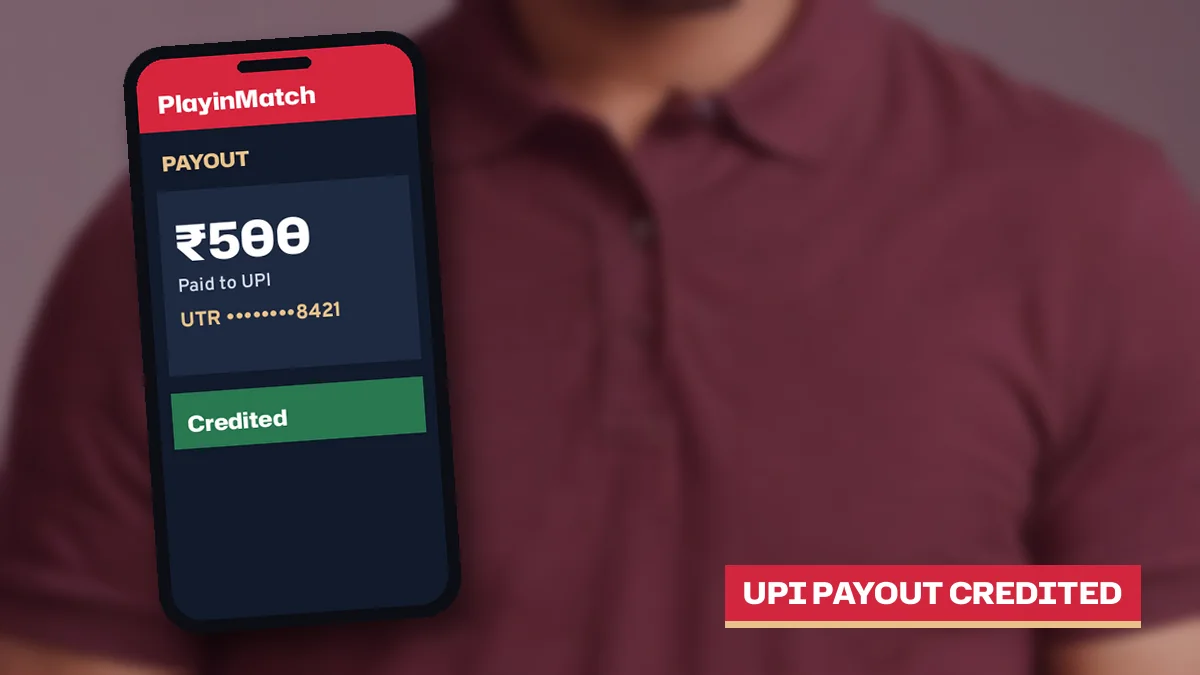
- Save the UTR the desk sends back. That bank reference is your proof the money left.
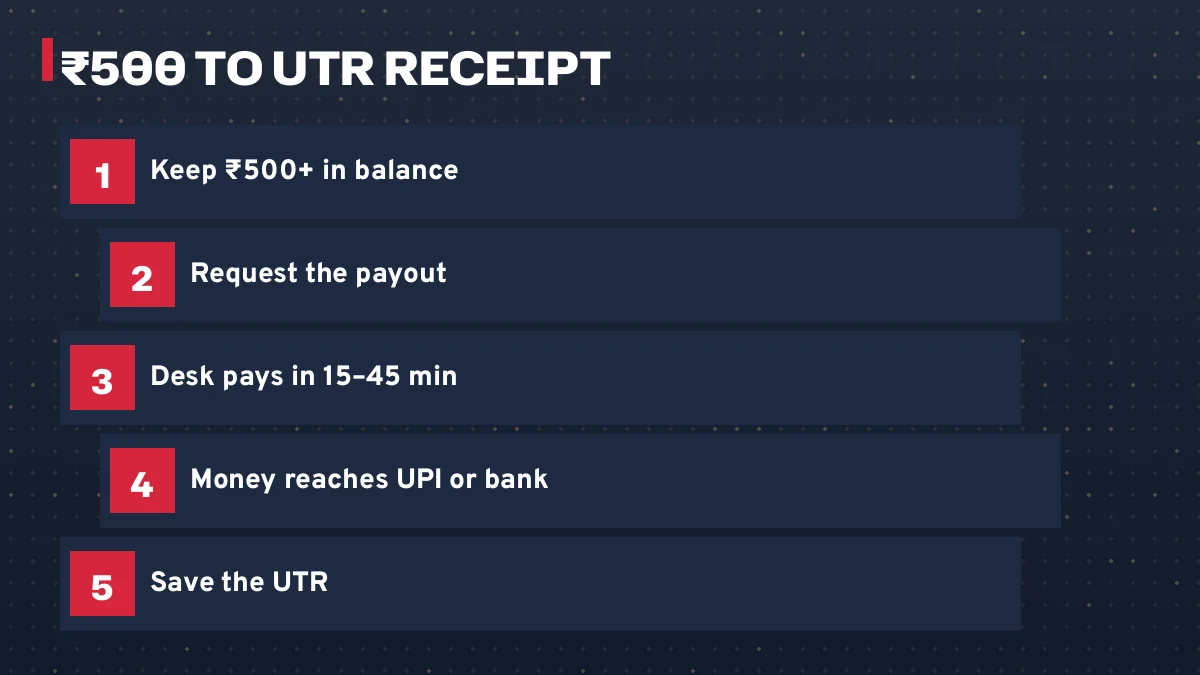
Step three is where most delays begin. Someone types a brother's UPI handle because it is saved on the phone, or picks an old account that was opened under a nickname, and the request stops because the receiving name does not match the name the PlayinMatch ID was issued under. Get that one detail right before you press send and the normal 15 to 45 minute window usually holds.
Step five matters more than it looks. Without the UTR you have nothing to show your bank if the credit is slow, and with it a bank branch or app support desk can trace the transfer in a few minutes of their own time.
You need to be signed in before any of this. If the address you saved will not open today, the PlayinMatch login page explains how the same username and balance work on another mirror.
PlayinMatch Payout Timeline: A Live Track From Request to Bank Credit
This is what a normal PlayinMatch cash out looks like on a clock, marker by marker.
- Minute 0Request sent to the desk with your username, the amount (₹500 or more) and the account in your name.
- Within about 5 minutesFirst reply on chat. The desk confirms the amount and the receiving account.
- 15 to 45 minutesPayout sent by IMPS or UPI, UTR shared with you, and on a normal day the credit shows inside this window.
- Same dayBanks usually settle IMPS within the day, even when the credit is slow to appear in your banking app.
- A few hoursOnly when the bank adds its own delay: a closed day, its servers going down, or the night-time line of IMPS transfers.
Most PlayinMatch requests never get past the third makrer before the money shows, and that is the reason to draw the wait as a track at all: if you are past forty-five minutes on a weekday afternoon, your names match and no offer is running, then something specific has gone wrong, and the sections below tell you which thing and who can fix it.
Past 45 minutes and no UTR yet? Ask the desk. Holding a UTR but no credit? Ask your bank.
Keep that split in mind. It saves a lot of back-and-forth.
Two ₹500 requests on the same track
Picture two PlayinMatch players asking for the minimum ₹500 on the same ID rules. The first sends the request on an ordinary weekday afternoon, names her own UPI handle, has no offer running, and gets a reply from the desk within about 5 minutes; the UTR follows and the credit is in her banking app well inside the 15 to 45 minute window, which is how most requests end.
The second player does everything the same way, except he sends it late at night on the eve of a bank holiday. The desk replies just as fast. His UTR arrives too. The credit, though, sits in the bank's queue for a few hours, and he spends that time convinced something is broken when the track shows exactly where his money is.
Same PlayinMatch steps, same desk, same amount. The only difference was the bank's calendar and clock.
Why a PlayinMatch Withdrawal Stays Pending: Three Quick Fixes
Pending has a short list of causes on PlayinMatch. Three, in practice.
- Name mismatch between the ID and the bank account
- The payout can only go to an account in the name on your PlayinMatch ID. A different name on the receiving side holds the request until you give an account that matches.
- Unfinished bonus turnover
- Said yes to an offer earlier? The money linked to it stays put until that offer's turnover condition has been played through.
- Request raised during bank downtime
- The desk may be ready to send, but the transfer waits until the bank server is back. There is nothing to fix on your side.
The first two you can sort out yourself, usually in one chat message. The third only clears when the bank does, though asking the PlayinMatch desk whether the bank is down at the moment is a fair question and gets a quick answer.
One habit makes pending worse. Raising a second request for the same amount while the first is still open only gives the desk two threads to match against one balance, so ask about the first request instead of sending a fresh one.
PlayinMatch Name Mismatch: Simple Fixes That Release a Withdrawal
This is the cause named in the page title, because it is the one people meet most and understand least.
Your PlayinMatch ID was opened with a name and a mobile number, nothing else, and that name is the one every payout is checked against; the same rule runs the other way too, since deposits are expected from an account in your own name. If you are still deciding how to open an ID, the join PlayinMatch page shows the two details the desk asks for, and typing your name exactly as your bank prints it saves trouble later.
Common ways the names stop matching
- The ID was opened under a short name or nickname, while the bank account carries the full legal name.
- The payout was pointed at a parent's, partner's or friend's UPI handle.
- An old account was picked from memory, one opened before a surname change.
- A spelling slip at sign-up: a missing letter, swapped initials.
What to do about each
For a payout sent to someone else's account, the fix is simple: tell the PlayinMatch desk you want it paid to an account of your own, and give that handle instead. That clears most cases on the spot.
If the ID itself carries the wrong spelling or a nickname, ask the desk how they want to handle it. We do not have a published rule on renaming an ID, so it is hard to say in advance what they will ask for; describe the difference plainly and let them tell you.
Rule of thumb for a PlayinMatch cash out: the name on the ID, the name on the bank account and the name on the UPI handle should read the same. Same person, same spelling.
PlayinMatch Payout Marked Done, Money Missing: A Trusted UTR Fix
Searches for playinmatch withdrawal successful but not received land here, and this one feels the worst. The desk says the PlayinMatch payout has gone, your app shows nothing, and the two facts seem to contradict each other.
They usually do not, because a payout marked successful has a bank reference, the UTR (unique transaction reference) the desk shares with you, and that number is proof the transfer left the paying side; banks usually settle IMPS within the same day, so a credit that is late by an hour or two is normally still on its way through the bank, and the UTR is how you prove that to whoever you ask next.
- Get the UTR from the desk if you do not already have it.
- Check the account statement, not only the app's notification list; some banks post IMPS credits to the statement first.
- Wait through the same day if the transfer was made late at night or on a bank holiday.
- Still missing? Share the UTR with your bank's support and ask them to trace it.
Your bank can see things nobody at PlayinMatch can, such as a credit held for a check on their side. That is why the UTR goes to them.
Keep the chat open with the desk while you do this, so the reference, amount and time stay in one thread. Track a Pending PlayinMatch Payout by UTR
No UTR from the desk means the money has not left yet: a desk question. A UTR in hand means it has: a bank question.
PlayinMatch Bonus Turnover Before a Fast Withdrawal: Clear Rules
Ask this site for a PlayinMatch bonus code and you will come away empty-handed: none is published here. Offers do exist. The desk quotes them one person at a time, with a turnover condition attached, and the time to read that condition is before accepting, since it decdes how soon your money can leave.
That rule is the second reason a withdrawal goes pending, and it catches people who accepted an offer in a hurry and forgot about it until cash-out time: the amount tied to the offer stays locked until the required turnover is played through, and a request raised before then will sit there however quick the bank is.
Three short checks before you accept anything.
- Get the condition typed into the chat, where you can scroll back to it.
- Note it down along with the date you accepted.
- Before a withdrawal, ask whether any part of your balance is still tied to it.
An offer you never accepted cannot hold a PlayinMatch payout. If speed matters more to you than extra balance, that is worth weighing before the deposit, not after.
Seen a PlayinMatch bonus code on another website? This site publishes none, so check any code with the desk before you rely on it.
PlayinMatch Withdrawal Problem Today: Working Checks Before You Chase
Search for a PlayinMatch withdrawal problem today and you will find old threads, some years out of date, mixed with fresh ones. Your own case is easier to read than all of that.
Work through these in order:
- Clock. Sent after dark? A few hours in an IMPS queue is normal then.
- The calendar. A bank holiday does the same.
- Your bank's server. If its app is down for you, it is probably down for the transfer too.
- Names. ID, account and UPI handle in the same name?
- Offers. Any deposit offer with turnover still running?
- The UTR. Do you have one? If yes, it is a bank question.
A payout clock and a login screen run on separate tracks. When playinmatch.red stops loading on your Jio or Airtel line mid-wait, the request already filed stays queued with the PlayinMatch cashier; ask for a fresh mirror only to watch its status, never to file it twice.
About the Telegram searches
A late payout pushes some players toward Telegram, hunting for someone who will listen. Fair instinct, wrong room. Your request, the amount and the UTR sit with the WhatsApp desk that PlayinMatch shows on this site, and a busy group chat has none of those records to look at.
Many playinmatch.* domains are run by operators unrelated to this site. Use the address the desk gave you, and the desk itself, for anything involving your money.
Reaching the 24x7 PlayinMatch Desk About a Payout: Fast Replies
Save +91 81097 11726 under the PlayinMatch name now, so a late payout does not start with a hunt through your contacts. That is the number printed on this site. Day or night, roughly five minutes is how long the first answer on that chat tends to take.
A payout question gets answered fastest when everything the desk needs arrives in the first message, because each missing detail costs another round of replies, and on a late-night request already stuck in an IMPS queue that extra waiting is the last thing you want. Five things, ready before you type.
- Username
- The PlayinMatch username on the ID that raised the withdrawal.
- Registered mobile
- The number the ID was opened with.
- Amount
- The exact figure you asked for, ₹500 or above.
- Time
- Roughly when you sent the request.
- UTR or screenshot
- The bank reference if the desk already sent one, or a screenshot of the chat.
Send those in one block. The desk can match it to your request straight away.
More on the hours, the number and what else the desk handles is on the PlayinMatch WhatsApp desk details. If you ever want the ID clsoed, ask the desk there too; it is closed after any remaining balance has been withdrawn, so the payout steps on this page come first.
- playinmatch withdrawal time
- playinmatch withdrawal time in india
- playinmatch withdrawal problem
- playinmatch withdrawal problem telegram
- playinmatch withdrawal
- playinmatch withdrawal pending
- playinmatch withdrawal successful but not received
- playinmatch withdrawal problem today
- playinmatch payout kitna time
- play in match withdrawal kaise kare
PlayinMatch Withdrawal FAQ: Quick Answers on Payout Time
How long does a PlayinMatch withdrawal take?
On a normal day a PlayinMatch withdrawal usually reaches your bank or UPI handle in 15 to 45 minutes. Bank holidays, bank server downtime and late-night IMPS queues can push it to a few hours. Matching names on the ID and the account keep it inside the normal window.
What is the minimum PlayinMatch withdrawal amount?
The minimum PlayinMatch withdrawal is ₹500. Smaller balances cannot be paid out, so wait until the balance you want to take out reaches ₹500. The payout goes to a bank account or UPI handle in your own name, the same name the ID carries.
Why is my PlayinMatch withdrawal still pending?
Check the receiving account name first, since a name that differs from your PlayinMatch ID is the commonest hold. Next, recall any desk offer whose turnover is unfinished. Last, ask whether your bank was down when you sent it. The first two clear with a message to the desk.
My PlayinMatch withdrawal shows successful but is not received. What now?
Treat successful as the paying half being done. The UTR the desk gives you is the proof of that half. Look at your account statement, allow IMPS the rest of the day since banks usually settle it within the same day, and if nothing posts, your bank can trace the transfer from that UTR.
Can I withdraw PlayinMatch winnings to someone else's UPI?
No. A PlayinMatch payout goes only to a bank account or UPI handle in the same name as your ID. Pointing it at a relative's or friend's handle is one of the most common reasons a withdrawal stays pending, so give an account of your own to the desk instead.
Is there a PlayinMatch withdrawal problem today?
Most delays on a given day come from the bank side: a bank holiday, a bank server outage or night-time IMPS queues. Check whether your bank app works, confirm the names match and no offer is running, then ask the 24x7 desk about your own request with your username and amount.
Does PlayinMatch sort out withdrawal problems on Telegram?
The support line shown on this site is the WhatsApp desk, which holds your request and UTR. Telegram groups and look-alike channels using the brand name cannot see your account, and some may be phishing for login details. Raise payout questions only with the desk reached through this site.
PlayinMatch Withdrawal Time Searches: Fast Payout Facts Together
How playinmatch withdrawal time is counted on this payout page
The count runs from your request to the desk until the credit lands in your own account.
| Search | Short answer |
|---|---|
| playinmatch withdrawal time | Usually 15 to 45 minutes |
| playinmatch withdrawal time in india | IMPS or UPI; a few hours on bank holidays or late at night |
| playinmatch withdrawal | From ₹500, to an account in your name |
Where a playinmatch withdrawal problem gets sorted from this page
Each kind of problem has its own owner:
- No UTR yet: the WhatsApp desk.
- UTR but no credit: your bank, with that reference.
- Pending: name mismatch, offer turnover or bank downtime.
The playinmatch withdrawal problem telegram question, answered here
This site shows one support line, the 24x7 WhatsApp desk, and it alone holds your payout record.
Searching Telegram for a PlayinMatch withdrawal problem leads to groups that cannot see your ID, so bring the question to the desk with your username, amount and UTR.