PlayinMatch Login — Fast Sign In With Username or Registered Mobile
To log in to PlayinMatch, type the username the WhatsApp desk sent you, or the mobile number tied to that ID, then your password. First visit? Use the temporary password from the chat and change it right after you get in. Forgot it? The desk resets it on chat in a few minutes.
PlayinMatch Login Fields: What the Fast Sign-In Screen Wants From You
Two boxes, and only the top one gives you a choice. You can answer it with the username from your WhatsApp chat or with the phone number you handed over on day one; PlayinMatch reads both as the key to the same wallet. The lower box has no such flexibility.
You still have the chat
Paste the PlayinMatch username from it into the top box. Pasting beats typing, since one swapped letter is the commonest reason a sign-in bounces.
You only remember your number
Type the phone number you gave while the ID was being opened. A second SIM, or a number that belongs to someone in your family, will not open it.
You remember neither
Write to the desk from your registered phone and ask them to sort out the ID and set a new password.
Email
Never part of it. PlayinMatch does not ask for an email at sign-in, and no reset mail exists either.
Which of the first two should you use? Probably the username, at least for the first week, because it is the value the desk actually typed for you and so it is the one least likely to be mistyped by either side. The mobile route is handy later, on a new phone or a borrowed laptop, when the chat message is not in front of you and all you can recall is your own number.
Same ID, same two fields, whether you sign in on playinmatch.red, another PlayinMatch mirror or the app.
Nothing else is asked. If a screen wants more than a username or mobile and a password (a card number, an email, a fee to sign in), stop and message the PlayinMatch desk before you type anythng into it.
First PlayinMatch Login With the Temporary Password, Made Easy
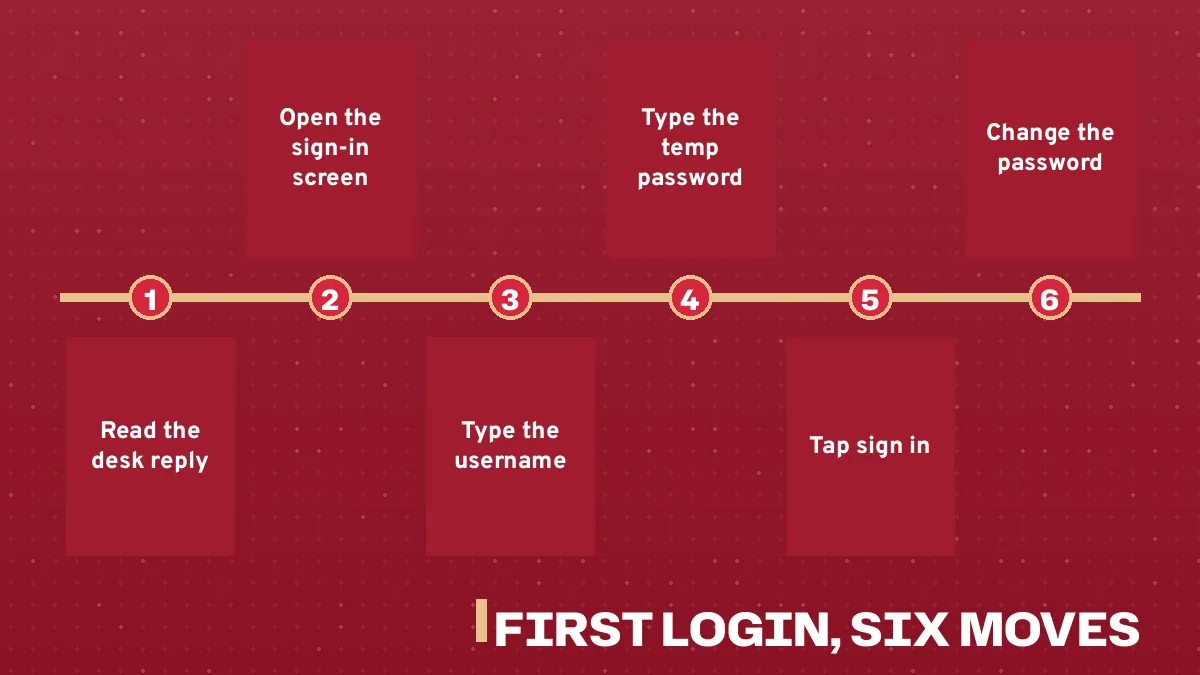
Most people who search for a PlayinMatch login have not signed in even once yet. They have just finished a chat with the desk, and now they are holding a username and a password they did not choose. Here is what the first visit looks like, start to finish.
Send your name and a mobile number to the 24x7 desk on WhatsApp. Nothing else is needed to open the ID; the full joining flow sits on the join PlayinMatch page.
Pin the reply when it lands (roughly 4 minutes in most cases). It holds a username and a temporary password, and you will want both on screen for the next step.
Open the sign-in screen, put the username in the first field and the temporary password in the second.
Open the password change before you click on any match, and swap the chat password for one you made up yourself.
Sign out and sign back in once with the new password, so you know it works before you need it during a match.
Six PlayinMatch first-login steps, from the WhatsApp reply to a changed password
Step six sounds fussy. It is not, really: a password you have never actually used is a password you might have typed wrongly while setting it, and finding that out minutes before a toss is a poor way to learn it.
Why change it at all? The temporary password has already sat in a chat window, so treat it as known. Your own password is the one that belongs to the PlayinMatch ID from then on.
Timing, roughly: a few minutes for the ID, under a minute to sign in and change the password if you have the chat open on the same phone, and a bit longer if you are copying values between two devices (which is where most first-day typos creep in, from what people report back to the desk).
Three PlayinMatch first-login slips and their fixes
A phone keyboard turns the first letter of the username into a capital. Paste it from the chat instead of typing.
Long-pressing the WhatsApp message can copy the whole line, trailing space included, and the PlayinMatch password box counts that space. Trim the end.
The new password was set on one phone and you are now on another device with nothing saved. That is a reset job for the desk, not a guessing game.
Play in Match Login on Mobile: The Quick Phone Route
People type it a dozen ways, play in match login, playin match login, playinmatch com mobile, playinmatch com mobile login, and every one of those searches ends at the same two-field PlayinMatch screen. On a phone there are three ways to reach it, and the sign-in itself is identical on all three.
Route
What you do
Sign-in
Mobile browser
Open the PlayinMatch address the desk gave you
Username or mobile + password
Android app
Install the APK from the site link (about 30 MB, Android 8.0 or newer)
Same ID, same two fields
iPhone
Safari, then Share, then Add to Home Screen
Same ID, same two fields
The Android build is not on Google Play, since real-money betting apps are not listed there in India, so it comes from the site link only; install steps and the unknown-apps permission are covered on the PlayinMatch app download page. There is no App Store app for iPhone. The home-screen icon simply opens the site in Safari, and you sign in to PlayinMatch exactly as you would in the browser.
Is there a separate mobile login? No. The phrase playinmatch com mobile is just how some people search, and the account behind it is the same one you use on a laptop.
On a phone, the mobile number field is the easy one to fill, because your own number is the one thing you never have to look up.
PlayinMatch Login Searches Answered on This Trusted Sign-In Page
How the playinmatch login and play in match login spellings meet on one screen
Whether you type playinmatch login, play in match login or playin match login, the search is after the same thing: the PlayinMatch sign-in with a username or registered mobile plus a password. The spellings differ; the account does not.
playinmatch login: the main form, username or mobile in the first field
play in match login: same screen, same ID
playin match login: same screen again
What playinmatch com mobile and playinmatch 365 login searches lead to here
Searches for playinmatch com mobile login come from people on phones. A PlayinMatch ID works in a mobile browser, in the Android app and from an iPhone home-screen icon, with the same balance everywhere.
playinmatch com mobile
What a phone user types when hunting for this sign-in; the ID they reach is the laptop one.
playinmatch 365 login
A spelling some people try; sign in only on the address the desk gave you, because many playinmatch domains belong to unrelated operators.
Where playinmatch account blocked how to unblock fits on this sign-in page
If the playinmatch account blocked how to unblock question is yours, first find out whether the address or the account is the problem. A blocked address opens fine on another PlayinMatch mirror; an account issue goes to the 24x7 desk with your username and registered mobile.
Verified PlayinMatch Sign-In Screen, Field by Field
Below is a plain replica of the PlayinMatch sign-in screen with each part numbered. Your own screen may be laid out a little differently on desktop and phone, but the jobs of the parts stay the same.
Sign in to PlayinMatch
1Username or mobile number
2Password
3Sign in
4Trouble signing in? Chat with the desk
Field 1, identity. Your PlayinMatch username, or the mobile number tied to the ID. Paste the username from the chat if you can.
Field 2, password. The temporary one on day one, your own after that. Watch for a stray space at the end when you paste.
Sign in. Sends both values. If it returns an error, re-check field 1 before you retype field 2; the username is wrong more often than the password.
Help route. Callout 4 is a chat with people, which is why the replica sends you to WhatsApp and not to an inbox.
Timing matters more than people expect. Do the temporary-password swap on a quiet evening rather than in the ten minutes before a match, because if the new one fails later the only way back into PlayinMatch is a chat reset, and that is a conversation you want to have when nothing is riding on the next over.
Callout 1 accepts either value, not both at once. Type a username or a mobile number, never the two joined together.
Reset a PlayinMatch Password on 24x7 Chat, Simple and Fast
Scroll up in the WhatsApp thread where your ID arrived. Your original PlayinMatch username is there, and that same thread is where a lost passwrod gets replaced. A few minutes. That is the usual wait between your message and a new password.
The desk number shown on this site is +91 81097 11726. It is display text, not a link; save it in your contacts so the chat sits next to the one where your ID came from. First replies usually land within about 5 minutes, any hour, because the desk runs 24x7. More on reaching them is on the PlayinMatch customer care number and its hours.
Tells them it is a reset, not a deposit or payout query
The desk replies with a new password for your PlayinMatch ID. Same drill as day one after that.
Message from the number tied to the ID if you can. It makes the match obvious.
A worked case. Say you set a new password on Sunday, changed phones on Wednesday, and on Friday evening the old phone's autofill is gone. You open the PlayinMatch screen, type your mobile number in field 1, try the password twice, and get nowhere. At that point stop guessing. Message the desk with your username, the registered mobile and a short line asking for a reset; going by the usual reply time you should be back in, with a password you have changed again, well before the second innings starts. That is the whole recovery, and it is the same every time.
PlayinMatch Login Not Working? Safe Fixes for Blocked Addresses and Accounts
A failed PlayinMatch login has two very different causes, and the fix depends on which one you have. Either the adrdess will not open at all, or it opens and refuses your details.
What you see
Likely cause
What to do
Page will not open, or opens blank
Address blocked by your internet provider
Open another PlayinMatch mirror or the app; same ID
Page opens, details rejected
Wrong username, mobile or password
Paste the username again; two misses means a chat reset
Details right, account still refused
Account-side issue
Message the desk with username and registered mobile
The first row is the one people hit most. Indian internet providers block betting domains from time to time, and PlayinMatch keeps several mirror addresses for exactly that reason, playinmatch.red being one of them. When one address stops opening, the others carry the same ID, the same balance and the same bet history, so nothing is lost by switching. In practice, "PlayinMatch not working" nearly always means a blocked address, not a broken account.
Careful with search results for a new address. A 2026-11-10 look at playinmatch domains found many run by unrelated operators. Use only an address the PlayinMatch desk has given you.
That caution covers the playinmatch 365 login searches too. Some people try a 365 variant of the name; this page has no record of an official PlayinMatch 365 address, so the safe move is to ask the desk which address to use, instead of typing your password into whatever page a search throws up first.
And the blocked-account case? Hard to say from the outside what is behind it, which is why the answer is the desk and not a checklist. Send your username, the registered mobile and what the screen said. If the ID turns out fine and the address was the trouble all along, they will point you to one that opens. The PlayinMatch rules say one ID per person and 18+ only, so a second ID is not a workaround.
When an old PlayinMatch app build will not sign in
Some sign-in trouble on Android has nothing to do with the address or the password. APK files picked up from third-party download sites (APKPure and the like) are outdated PlayinMatch builds, and an old build is the last place you want to be typing your password. Uninstall it, take the current file from the site link, install it and sign in with the same username and password; the ID itself does not change when the app does.
Address problem: switch mirrors. Account problem: message the desk. Two causes, two fixes.
One PlayinMatch ID, Full Access on Every Mirror and the App
Once the PlayinMatch login works, the ID behind it is the same everywhere. Sign in on .red today and on another mirror tomorrow, and the balance and the bet history follow you; nothing has to be moved or merged.
Behind the sign-in sits one wallet for the sports exchange, the sportsbook, live casino and games. People who search the PlayinMatch99 or PlayinMatch 99 spelling land on the same account, and the PlayinMatch 99 page explains how that name fits in.
Demo ID
Ask the desk and it can switch on a practice balance in points, no real money, so a new user can look around the exchange before deciding anything.
One person, one ID
PlayinMatch issues one ID per person, for adults 18+ only.
Bet history
Settled bets show under My Bets on whichever PlayinMatch mirror you sign in to, because the history belongs to the ID.
Sign-in, then, is the small part. Two fields, a password you own, and a chat to fall back on when something goes wrong.
One last point, because it trips people up more than anything else on this page: whatever address or app you use, the PlayinMatch username and password stay exactly the same, so if a screen ever tells you to create a new login for a mirror, you are not on a PlayinMatch address the desk gave you.
playinmatch login
play in match login
playin match login
playinmatch com mobile
playinmatch com mobile login
playinmatch 365 login
playinmatch account blocked how to unblock
playinmatch login id and password
playinmatch login and password
playinmatch id password
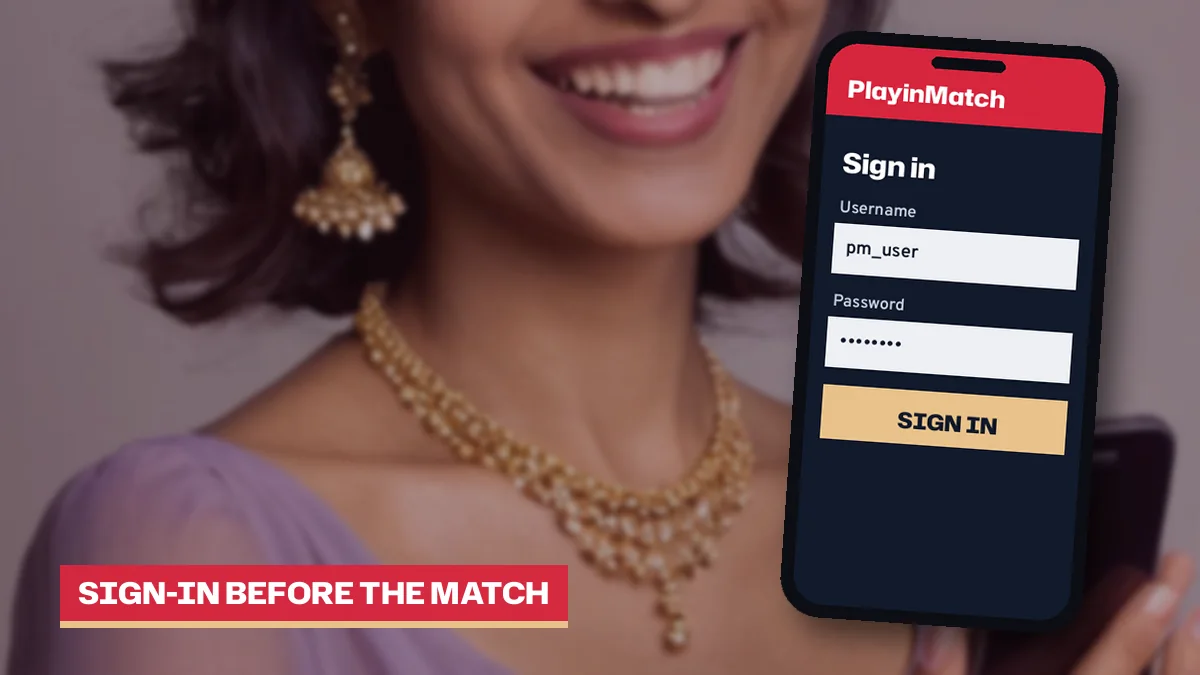
Phone in hand with the PlayinMatch sign-in screen open before a match
PlayinMatch Login Questions With Quick Answers
How do I log in to PlayinMatch with my mobile number?
Put your phone number where the username would go, add the password, and sign in. PlayinMatch only recognises the number you shared while the ID was being set up, so a second SIM or a relative's phone gets refused even when the password is right. Unsure which number? Ask the desk.
Where do I get my PlayinMatch login ID and password?
From the 24x7 WhatsApp desk. Send your name and a mobile number and the reply, usually inside about 4 minutes, carries a username and a temporary password. Sign in with those and change the password on your first login so the ID is protected by a password only you know.
Is the PlayinMatch login free?
Yes, signing in costs nothing and opening the ID only needs your name and a mobile number. Money comes in only if you choose to deposit, from ₹200 by UPI, IMPS or bank transfer. The desk can also switch on a demo balance in points, no real money, so you can look around first.
My PlayinMatch account is blocked. How do I unblock it?
First see whether the address or the account is blocked. If the page will not open, try another PlayinMatch mirror or the app with the same ID. If it opens but refuses correct details, message the desk with your username and registered mobile; first replies usually come within about 5 minutes.
Why is PlayinMatch not working when I try to sign in?
When the sign-in page itself never appears, an ISP block on that one address is the usual story. Switch to the PlayinMatch app or a mirror the desk named. Skip random VPN tools and look-alike sites from search, because many playinmatch domains belong to unrelated operators with no link to your ID.
Can I reset my PlayinMatch password by email?
No, email plays no part. A PlayinMatch reset is a WhatsApp job: give the desk your username and registered mobile and a new password comes back in a few minutes. Use it once, replace it with your own, then sign out and in again so you know the new one holds.
Does my PlayinMatch password change on the Android app or a new mirror?
No. The password you set after your first sign-in is the one PlayinMatch expects inside the APK, behind an iPhone home-screen shortcut and on any mirror the desk names. If a screen asks you to register again for a different address, it is not a PlayinMatch address the desk gave you.
How do I delete my PlayinMatch account?
Closing a PlayinMatch ID is a request you make to the desk on WhatsApp. Withdraw what is left first and let it land in your bank, since the account is shut only after the balance has gone out. Then send the request from the phone linked to your username.